
M810 SERIES
Multi-Projection Processing with Flexible Geometry Control
Scalable 4K video processing for multi-projector edge blending, geometry correction and high-resolution display systems. Start with the outputs required for the project and expand larger projector arrays by combining synchronized M810 processors.
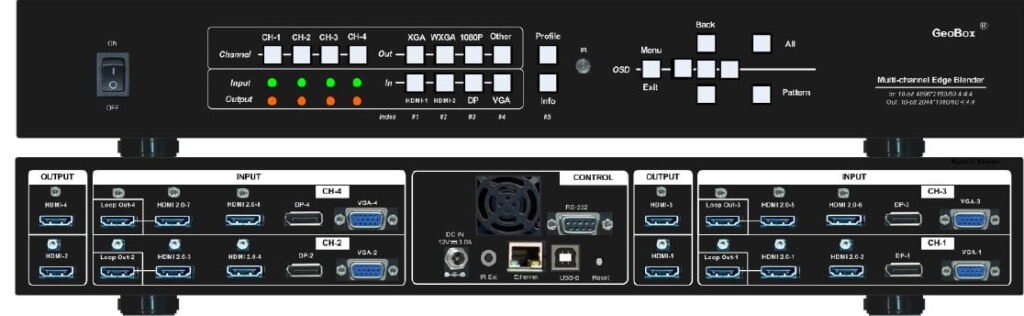
What M810 Does
The M810 Series provides the core processing tools required to build seamless multi-projector displays, from small projector groups to larger synchronized arrays. Each processor handles independent image distribution, geometry correction and edge blending, while multiple units can be combined as the system scales.
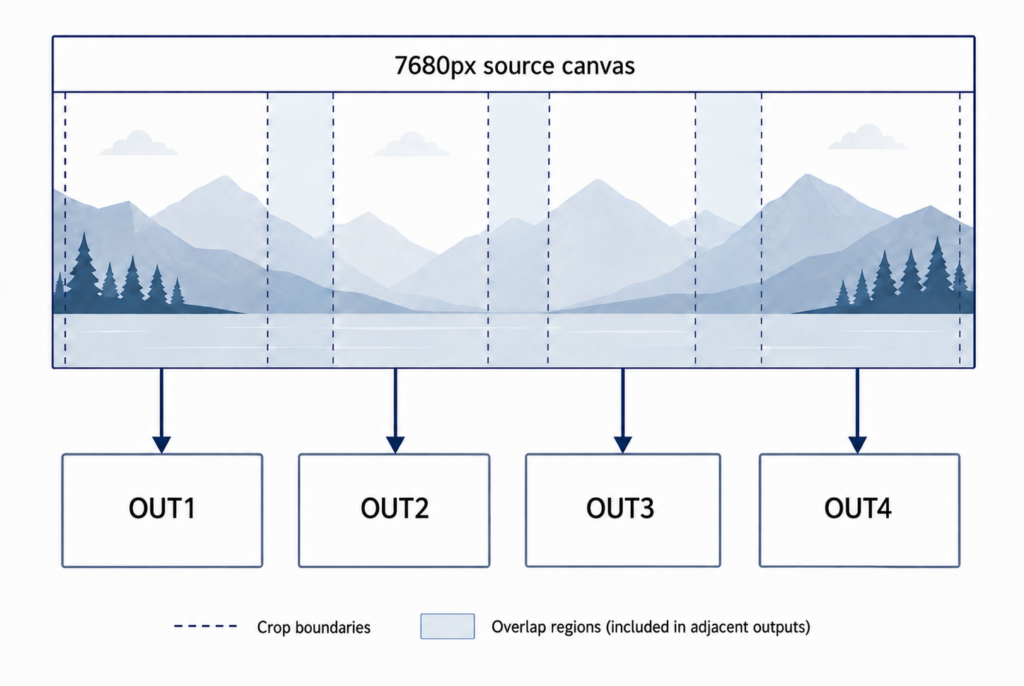
Image Cropping & Distribution
Crop and distribute selected areas of a high-resolution source across multiple outputs. Each output can capture and position the required image region independently, allowing one source canvas to drive multi-projector layouts without pre-splitting the content.
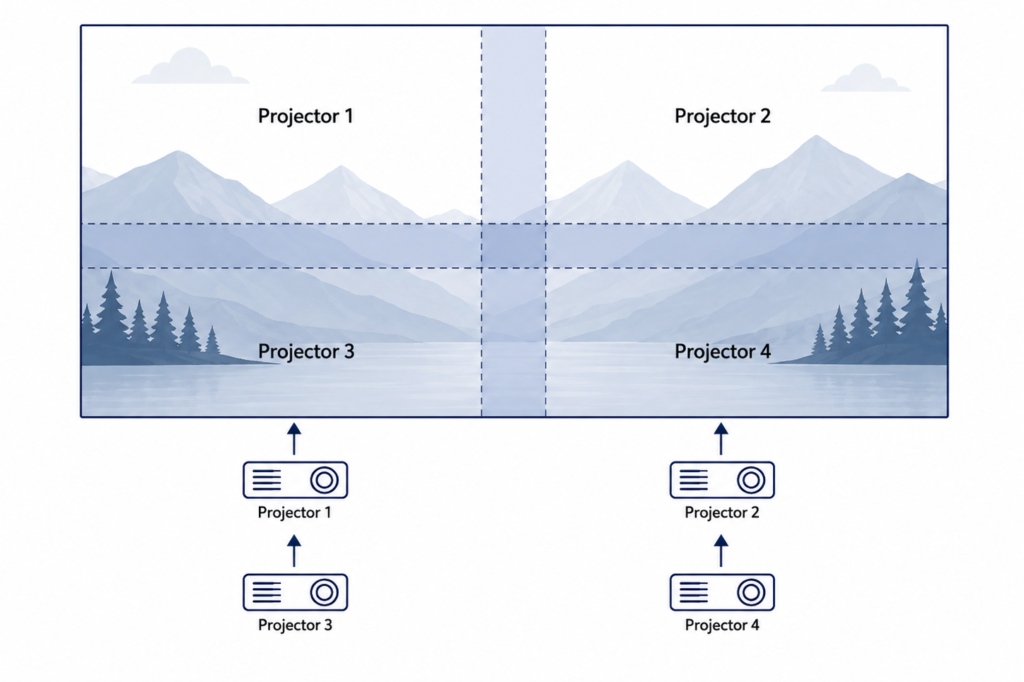
Four-Side Edge Blending
Edge blending can be applied independently on all four sides of each output, supporting horizontal, vertical and multi-row projector arrangements. Overlap regions can be adjusted to create a continuous image across multiple projectors.
Edge blending and related blend-zone adjustments apply to M812, M813 and M814.
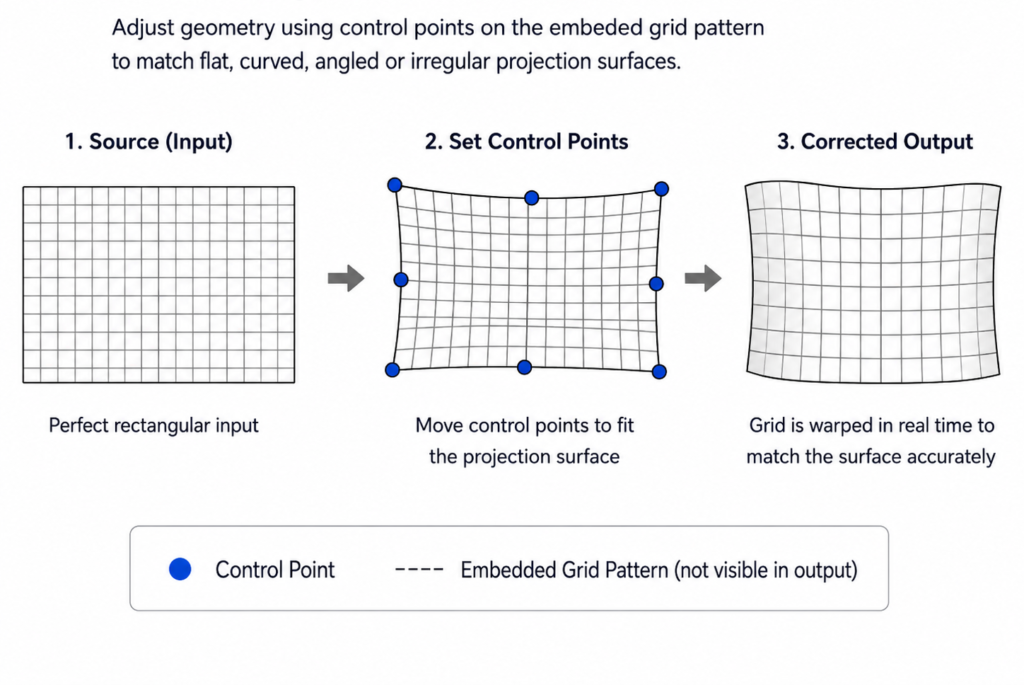
Advanced Geometry Correction
Correct image geometry for flat, curved, angled or irregular projection surfaces. Independent control points allow the projected image to be aligned to the physical screen while keeping the source workflow unchanged.
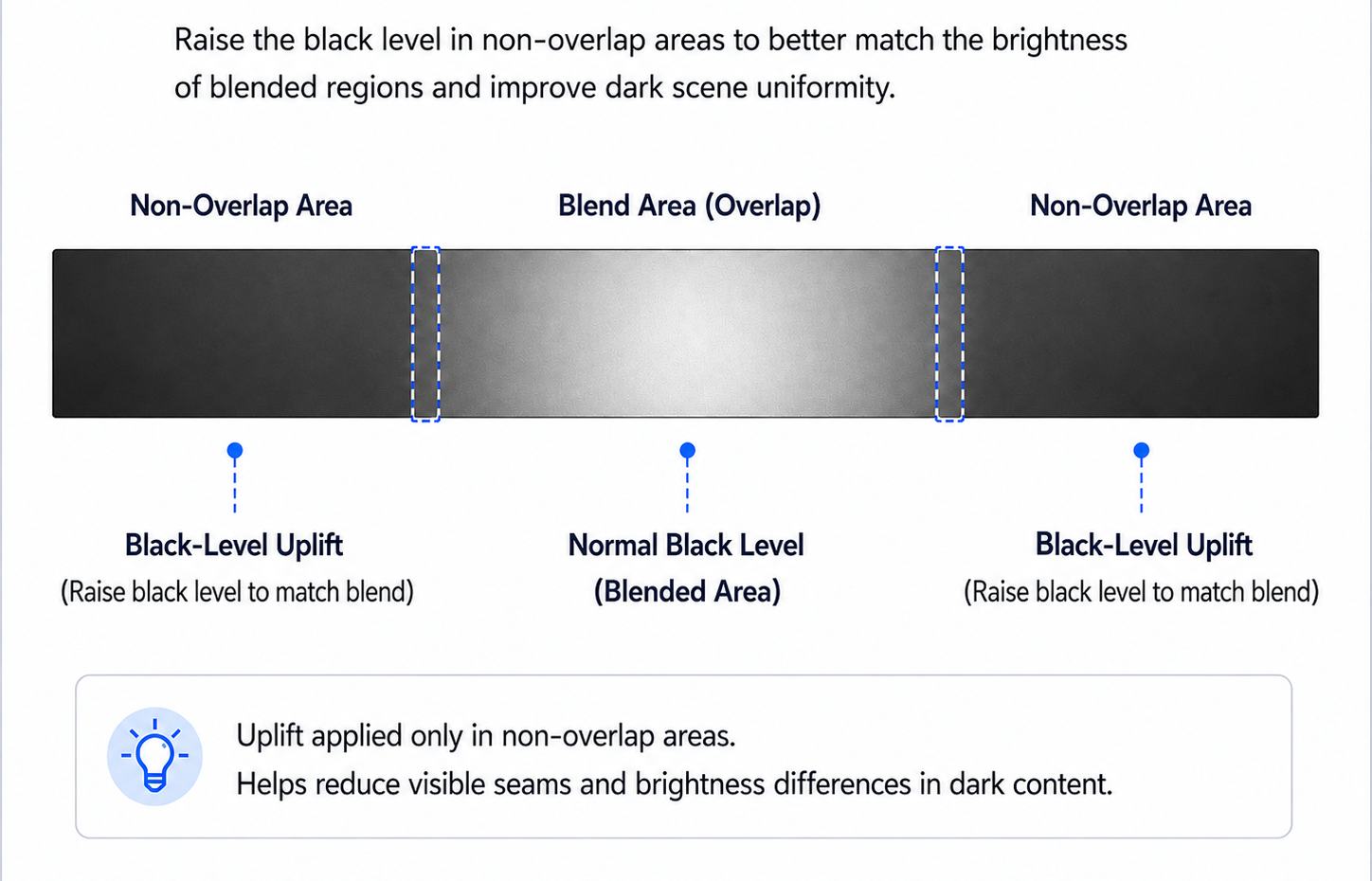
Black-Level Uplift
Raise the black level of non-overlap areas to better match the brightness of blended regions. This helps reduce visible differences in dark scenes across multi-projector installations.
Need Multi-Source Layouts Across the Full Canvas?
M810 is designed primarily for image distribution, geometry correction and edge blending. Its built-in PIP / POP function operates within an individual processing channel and does not extend across the complete edge-blended canvas.
For multi-source or multiview layouts across the full projection surface, add an S902 or G901 upstream of the M810 Series.
S902 for freely editable multi-window layouts.
G901 for fixed multiview / PiP workflows and applications requiring programmable output timing.
Video Performance
The M810 Series preserves professional video quality throughout the processing pipeline, supporting full-chroma processing, high-resolution source formats and deterministic FPGA-based operation.
Full Chroma Processing
RGB / YUV 4:4:4 processing preserves full chroma detail for text, graphics and high-resolution professional AV content.
High-Resolution Source Processing
Accepts high-resolution and ultra-wide source canvases suitable for multi-projector image distribution.
Native-Resolution Output
Each processing channel provides selectable output up to 1920×1200 at 60 Hz matching the native resolution of many professional installation projectors.
Dedicated Hardware Processing
Cropping, scaling, geometry correction, blending and output synchronization are handled by dedicated FPGA processing, without dependency on an operating system or GPU-based processing environment.
Engineering Features
System-level functions simplify integration, commissioning and long-term operation in fixed professional AV installations.
Frame Synchronization
Synchronizes outputs to maintain stable timing across multi-projector installations and reduce visible timing differences between display channels.
Profile Saving & Recall
Save complete system configurations for fast recall during operation, maintenance or different presentation modes.
Programmable EDID
Configure EDID settings to manage source compatibility and define the preferred input format for different system requirements.
Custom Output Timing
Define custom output resolution and timing when the display requires a non-standard format, including dvLED applications and projector systems operating at 50 Hz.
GCT PC Tool
Configure and manage GeoBox settings from a PC for faster installation, alignment and commissioning workflows.
External Control
Integrate GeoBox functions with third-party control systems for remote operation, preset recall and system automation.
Typical System Architecture
M810 is typically positioned between the source system and multiple projectors, keeping geometry correction, image distribution and blending independent from the playback platform.
The following example shows an M813 in a three-projector configuration:
The source system provides the required canvas resolution, while the M810 Series independently crops, scales, corrects geometry and blends the image for each projector output. Display alignment therefore remains independent of the media player or content application.
Scale Beyond One Processor
Multiple M810 processors can operate as synchronized processing nodes, allowing the same architecture to scale beyond the outputs of a single unit.
Multi-Source Layouts
When multiple live sources need to be positioned across the complete blended canvas, an S902 or G901 can be placed upstream of the M810 Series. The upstream processor creates the multi-source canvas, while M810 handles projector-side cropping, geometry correction, edge blending and output synchronization.
M810 Series Models
Choose the model according to the required number of outputs and processing functions. M811L provides single-channel geometry correction, while M812, M813 and M814 add multi-output edge blending for larger projection systems.
M812
OUTPUTS
Dual-projector edge blending and panoramic display.
€5,150
Recommended End-User Price · excl. VAT
M813
OUTPUTS
Three-projector immersive and panoramic installations.
€6,900
Recommended End-User Price · excl. VAT
M814
OUTPUTS
Four-output edge blending, 2×2 layouts and larger multi-projector systems.
€9,000
Recommended End-User Price · excl. VAT
M811L
OUTPUT
Single-channel geometry correction. No edge blending.
€3,000
Recommended End-User Price · excl. VAT
Larger projector arrays can be built by combining multiple M810 Series processors while maintaining synchronized outputs across the system.
Technical Specifications
Detailed signal, processing, control and mechanical specifications for system design and integration.
Video Input
Video Output
Image Processing
System & Control
Mechanical
Choose M810 When
- You need independently processed projector outputs from one system.
- The project requires four-side edge blending and advanced geometry correction.
- Output synchronization is important across the projection system.
- You want display-side processing independent from a PC or media-server processing pipeline.
- WUXGA outputs fit the target projector resolution.
- You primarily need projector-side image distribution, geometry correction and edge blending rather than canvas-wide multi-source composition.
Need multiple sources across the full canvas?
Pair the M810 Series with an S902 or G901 upstream to create the multi-source layout before projector-side geometry correction and edge blending.
Consider Another GeoBox
G112
When a compact, cost-efficient solution is sufficient for a smaller scale application.
G400 Series
When geometry correction and edge blending are already handled by the projectors. Use G400 for source-side image cropping and distribution, scaling, aspect-ratio adjustment, output-format management and frame synchronization, while the projectors perform the final geometry correction and edge blending.
M800EX
When advanced projection mapping is required for projecting on an irregular object or complex surfaces.
Explore M800EX→
M810 in Real Installations
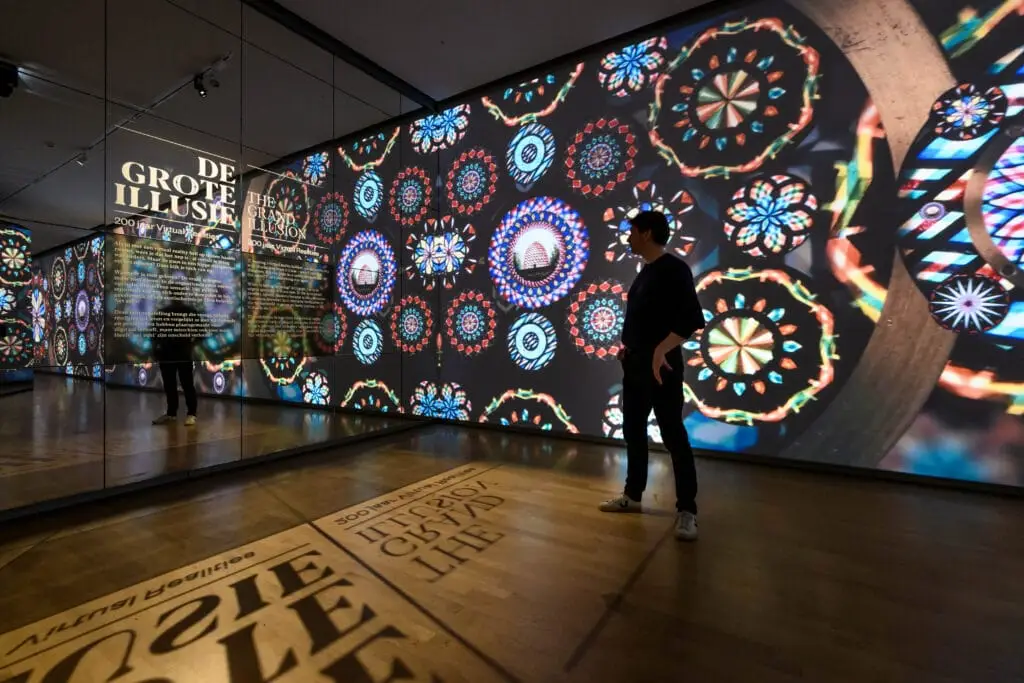
MUSEUM · NETHERLANDS
Immersive Exhibition at Teylers Museum
Multiple GeoBox processors provided geometric alignment and edge blending for an immersive exhibition integrated into a historic museum environment.
Installed with the previous-generation M800 Series.
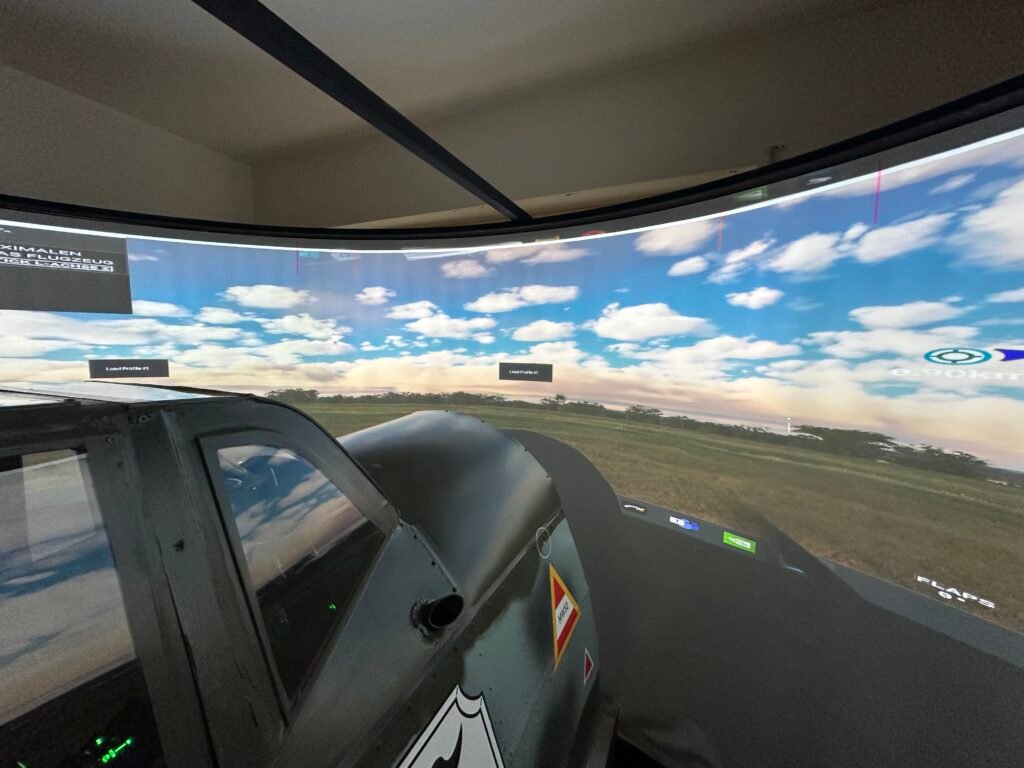
FLIGHT SIMULATION · GERMANY
Three-Projector Curved-Screen Flight Simulator
An M813 crops and distributes one simulator canvas across three projectors, correcting geometry and blending the outputs into one continuous curved display.
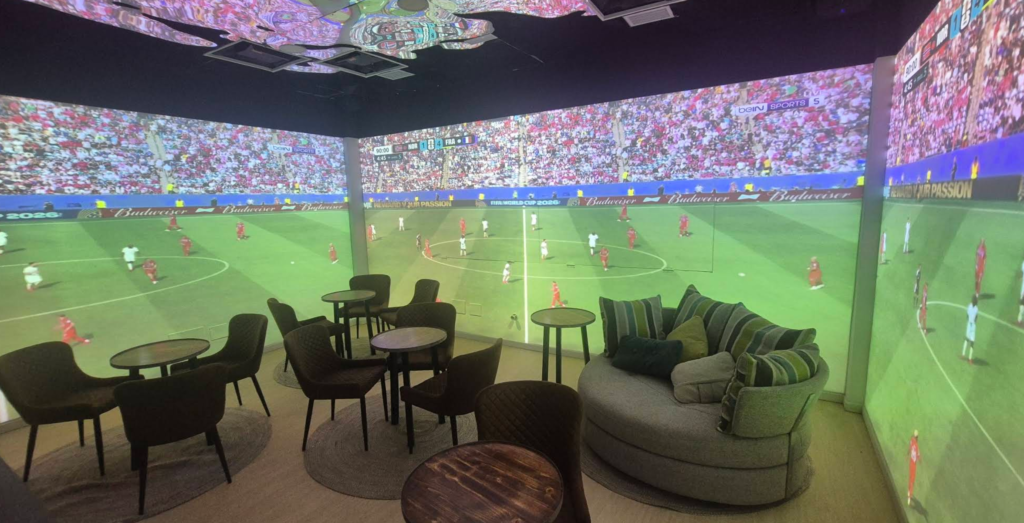
IMMERSIVE HOSPITALITY · CANARY ISLANDS
Six-Projector Immersive Sports Bar
Two M813 processors manage six projector outputs for geometry correction and edge blending, supporting both a continuous immersive canvas and flexible multi-content operation.
Technical Resources
User Manual
Complete configuration and operating instructions.
M812/ M813/ M814 Download Link
M811L Download Link
Datasheet
Product overview and technical specifications.
M812/ M813/ M814 Download Link
M811L Download Link
Planning an M810 System?
Share your projector layout, source resolution or project requirements with our technical team. We can help confirm the appropriate model and system configuration.