Blog
-
Projektoren: Nutzen Sie unser Kantenanpassungs-Rechner um die optimale Konfiguration der Projektorspezifikationen zu ermitteln.
-
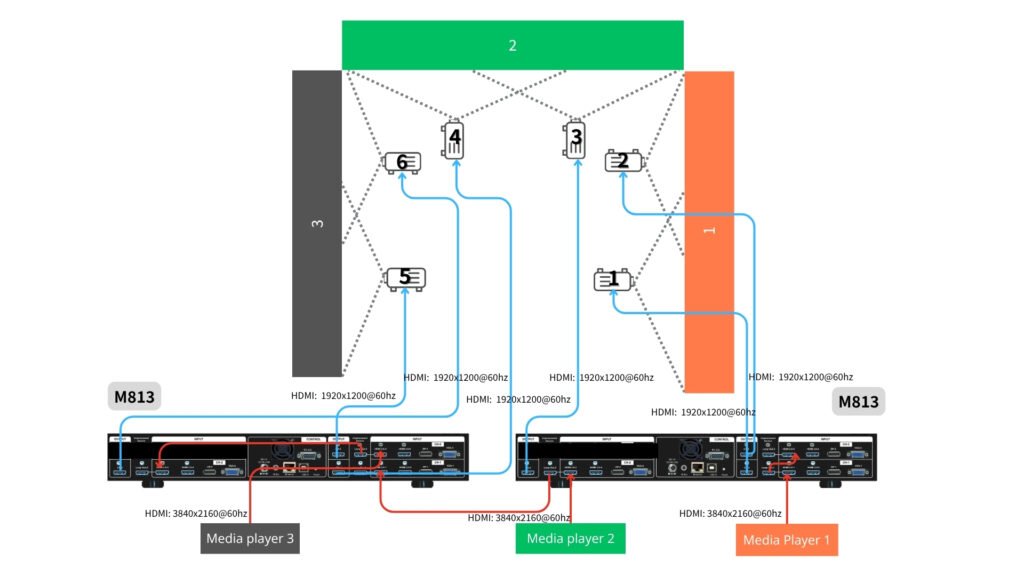
Bildbearbeitung: Verwenden Sie zwei M813 Geräte, wenn Sie alle Bildbearbeitungsfunktionen in einem Gerät steuern möchten. Wenn Ihre Projektoren über ausreichende Edge-Blending- und Warping-Funktionen verfügen, entscheiden Sie sich für Videowand-Serie (G400) zur Konfiguration der Videowand (Bildsegmentierung) und der Überlappungseinstellung zwischen jeweils zwei miteinander verbundenen Projektoren.
-
- Eingangsquelle: Der einfachste Ansatz besteht darin, die gesamte Leinwand in drei Bereiche (Quellen) zu unterteilen, wie unten dargestellt: 1, 2, 3. Jede Quelle kann mit einer Auflösung von bis zu 3840×2160 bei 60 Hz an den UD103 gesendet werden.
- Wiedergabegerät: Der Benutzer kann Medienplayer (wie z. B. BrightSign) oder einen PC mit drei Signalausgängen zur Wiedergabe des Videos verwenden. Die Synchronisation zwischen diesen Quellen muss auf der Quellenseite gewährleistet sein; dann sorgt GeoBox für die Synchronisation zwischen den Ausgängen und den Projektoren.
- Um ein optimales, verzerrungsfreies Bild zu erhalten, muss der gesamte Inhalt im gleichen Seitenverhältnis wie die gesamte Wand gestaltet werden. In diesem Fall sollte der Inhalt im Seitenverhältnis (9+9+9) : 2 erstellt werden.
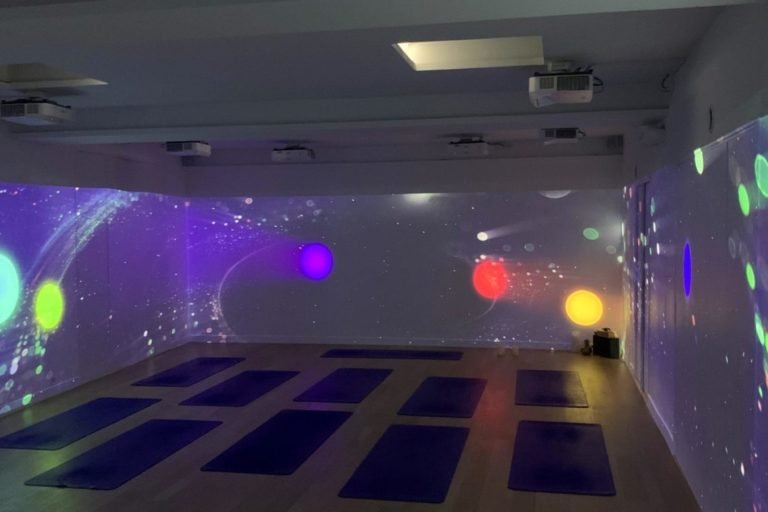
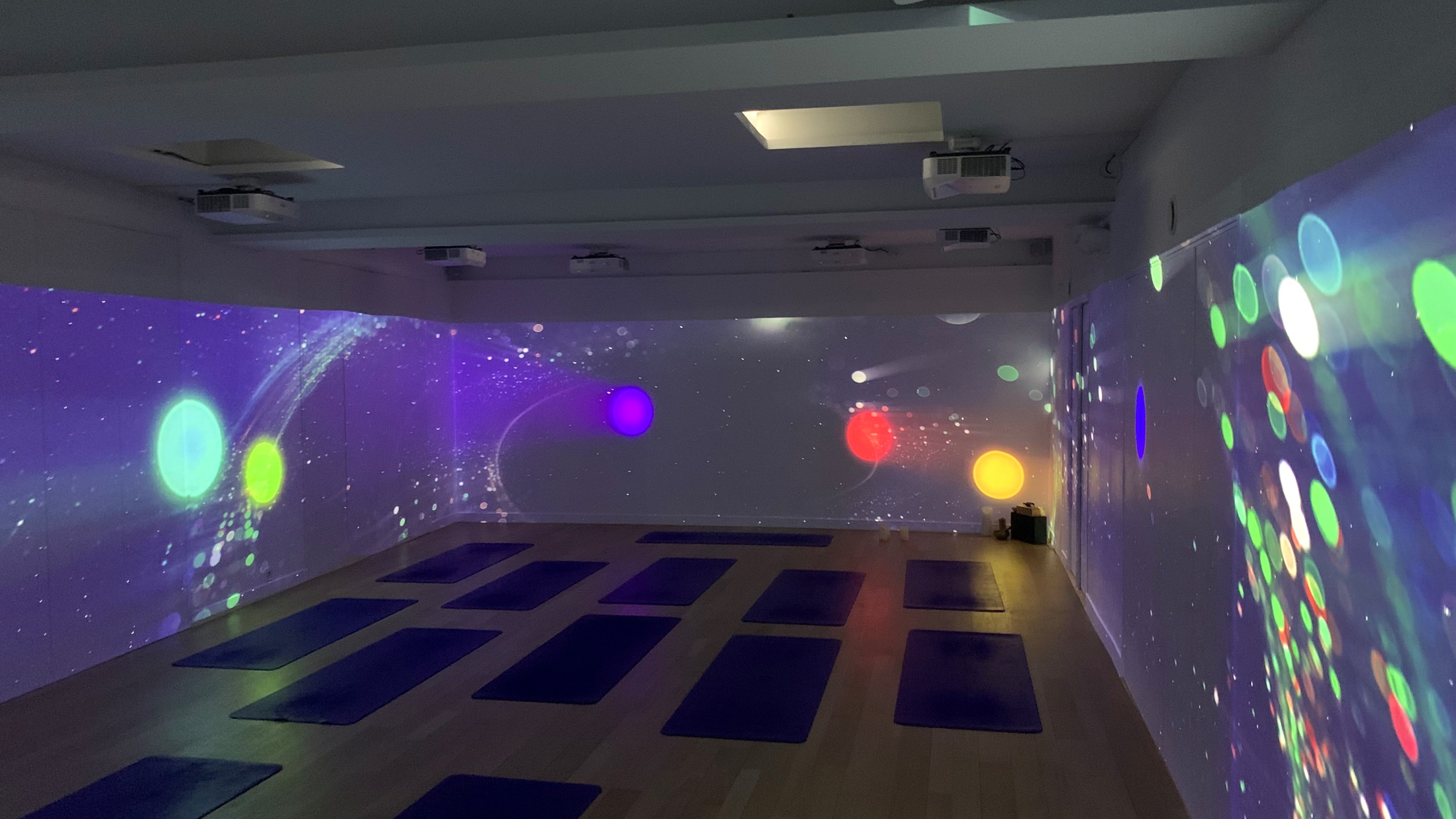
Beispiel: Ein großer U-förmiger Raum mit drei gleich großen Wänden, die jeweils 9 Meter breit und 2 Meter hoch sind.
-
Projektoren: Nutzen Sie unser Kantenanpassungs-Rechner um die optimale Konfiguration der Projektorspezifikationen zu ermitteln.
-
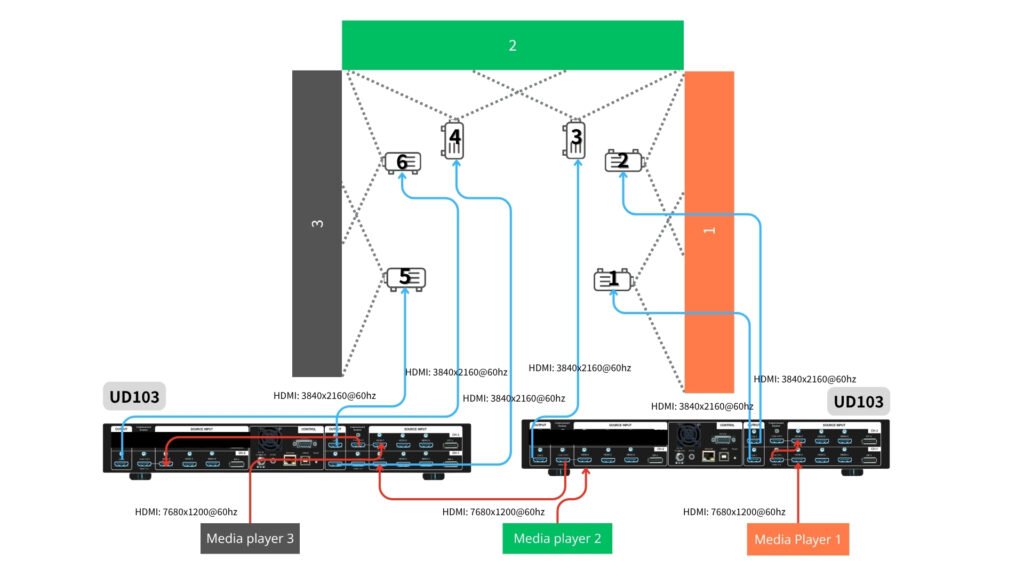
Bildbearbeitung: Verwenden Sie zwei UD103 Geräte, wenn Sie alle Bildbearbeitungsfunktionen in einem Gerät steuern möchten. Wenn Ihre Projektoren über ausreichende Edge-Blending- und Warping-Funktionen verfügen, entscheiden Sie sich für Videowand-Serie (G900) zur Konfiguration der Videowand (Bildsegmentierung) und der Überlappungseinstellung zwischen jeweils zwei miteinander verbundenen Projektoren.
-
- Eingangsquelle: Der einfachste Ansatz besteht darin, die gesamte Leinwand in drei Bereiche (Quellen) zu unterteilen, wie unten dargestellt: 1, 2, 3. Jede Quelle kann mit einer Auflösung von bis zu 7680×1200@60 Hz (CVT-RB-Modus) an den UD103 gesendet werden.
- Wiedergabegerät: Der Benutzer kann Medienplayer (wie z. B. BrightSign) oder einen PC mit drei Signalausgängen zur Wiedergabe des Videos verwenden. Die Synchronisation zwischen diesen Quellen muss auf der Quellenseite gewährleistet sein; dann sorgt GeoBox für die Synchronisation zwischen den Ausgängen und den Projektoren.
- Um ein optimales, verzerrungsfreies Bild zu erhalten, muss der gesamte Inhalt im gleichen Seitenverhältnis wie die gesamte Wand gestaltet werden. In diesem Fall sollte der Inhalt im Seitenverhältnis (9+9+9) : 2 erstellt werden.
Beispiel: Ein großer U-förmiger Raum mit drei gleich großen Wänden, die jeweils 9 Meter breit und 2 Meter hoch sind.