Blog
-
Projectors: Use our edge blending calculator to determine the optimized configuration of projector specifications.
-
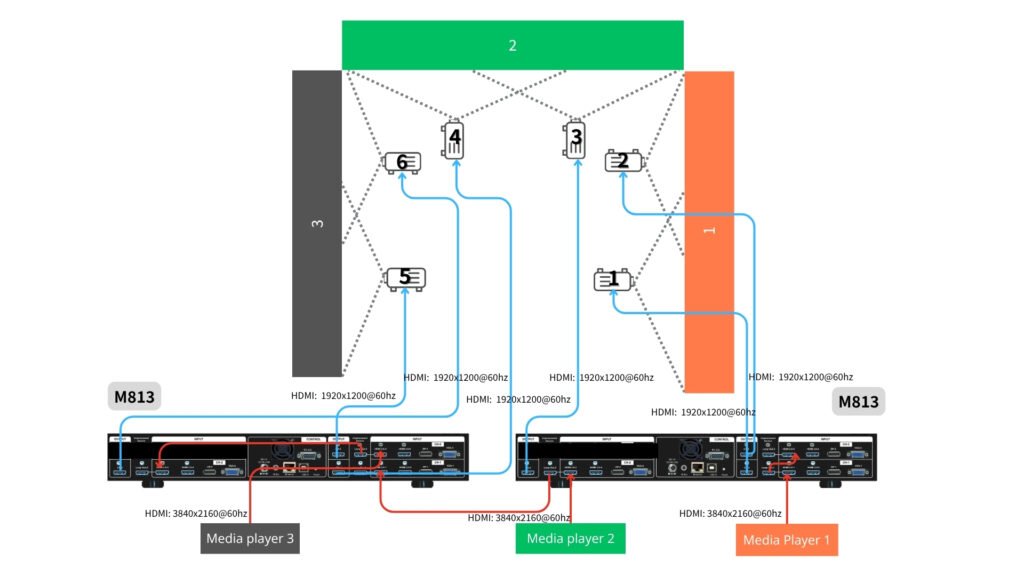
Image processing: Use two M813 units if you want to control all image processing functions in one device. If your projectors have sufficient edge blending and warping functions, opt for video wall series (G400) to configure the video wall (image segmentation) and overlap setting between each two connected projectors.
-
- Input source: the most straight forward approach is to split the whole cavas into 3 portions (sources), as below 1, 2, 3. Each source can be sent to the UD103 up to 3840×2160@60hz resolution.
- Playback device: User can use media players (such as BrightSign) or PC equipped with 3 signal outputs to playback the video. The synchronization among these sources needs to be maintained from the source side, then GeoBox guarantees the synchronization between the outputs to projectors.
- For the optimized image result without distortion, the whole content needs to be created in the same aspect ratio of the entire wall. In this case, the content should be made in the aspect ratio of (9+9+9) : 2.
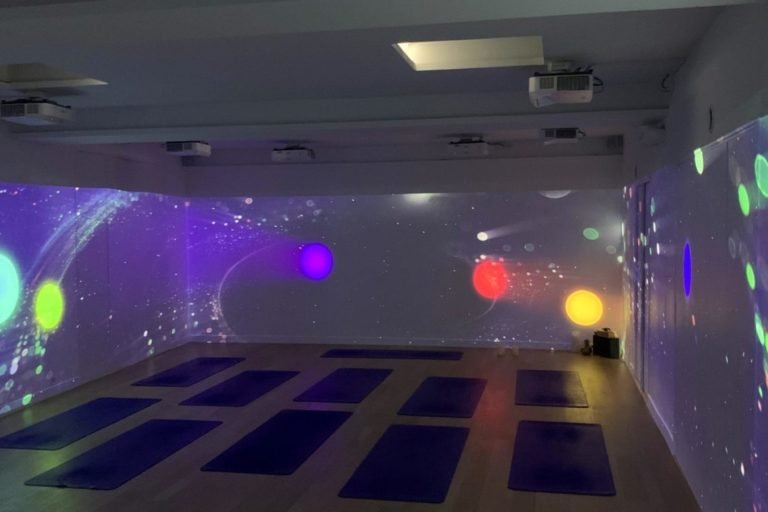
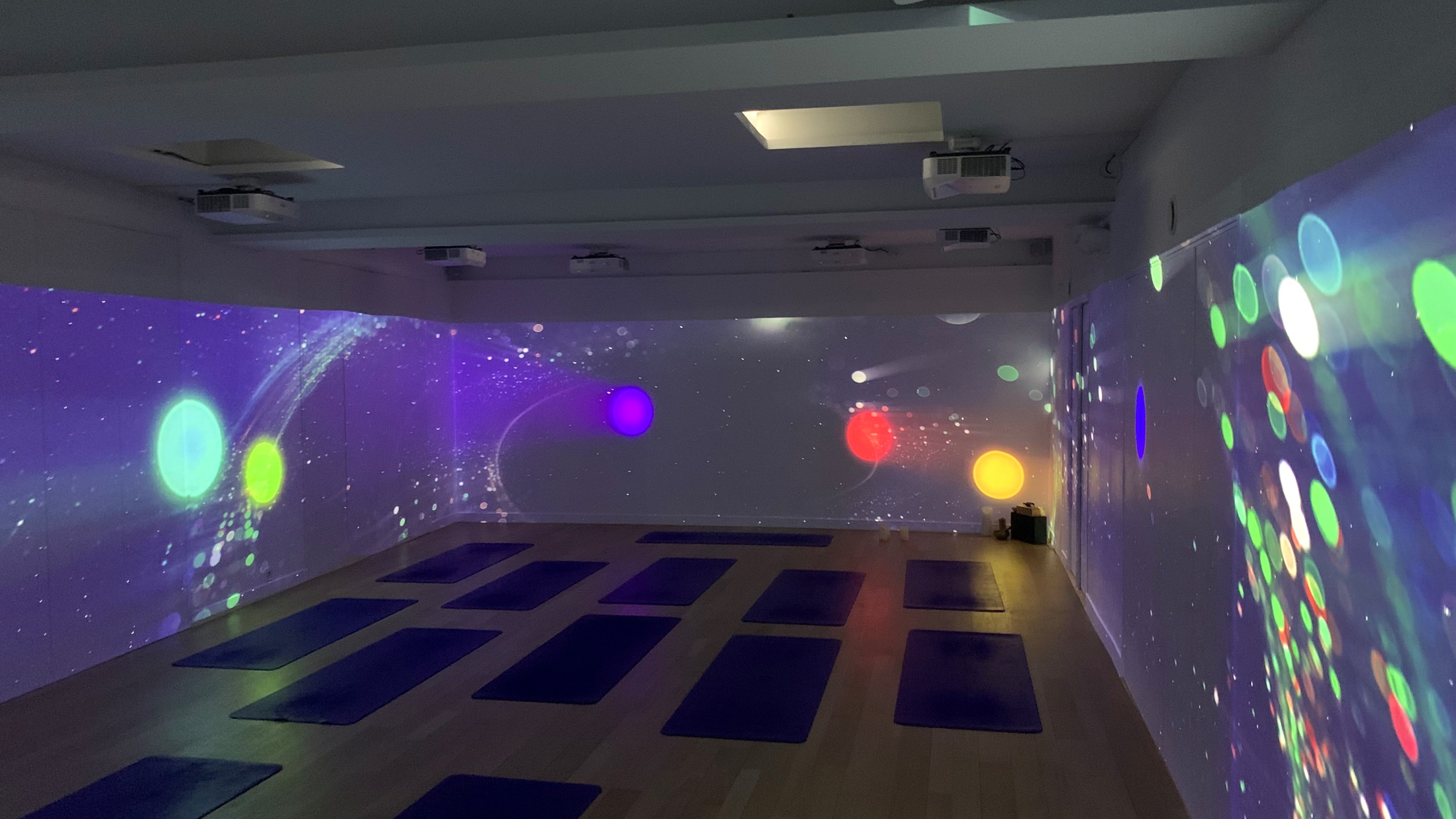
Example: A large U-shaped room with three walls in equal size, each measuring equally in 9 meters wide and 2 meters high.
-
Projectors: Use our edge blending calculator to determine the optimized configuration of projector specifications.
-
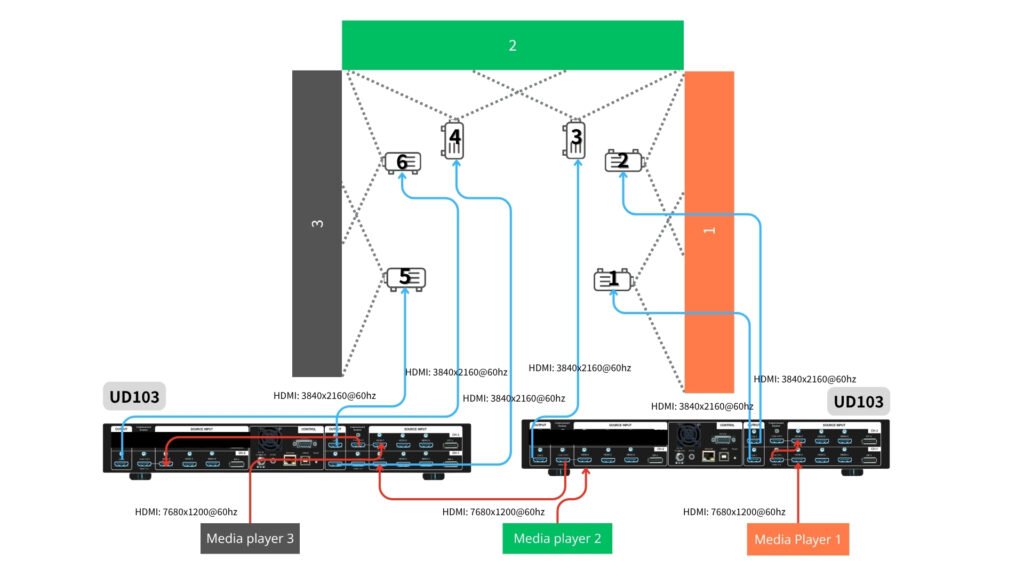
Image processing: Use two UD103 units if you want to control all image processing functions in one device. If your projectors have sufficient edge blending and warping functions, opt for video wall series (G900) to configure the video wall (image segmentation) and overlap setting between each two connected projectors.
-
- Input source: the most straight forward approach is to split the whole cavas into 3 portions (sources), as below 1, 2, 3. Each source can be sent to the UD103 up to 7680×1200@60hz (CVT-RB mode) resolution.
- Playback device: User can use media players (such as BrightSign) or PC equipped with 3 signal outputs to playback the video. The synchronization among these sources needs to be maintained from the source side, then GeoBox guarantees the synchronization between the outputs to projectors.
- For the optimized image result without distortion, the whole content needs to be created in the same aspect ratio of the entire wall. In this case, the content should be made in the aspect ratio of (9+9+9) : 2.
Example: A large U-shaped room with three walls in equal size, each measuring equally in 9 meters wide and 2 meters high.