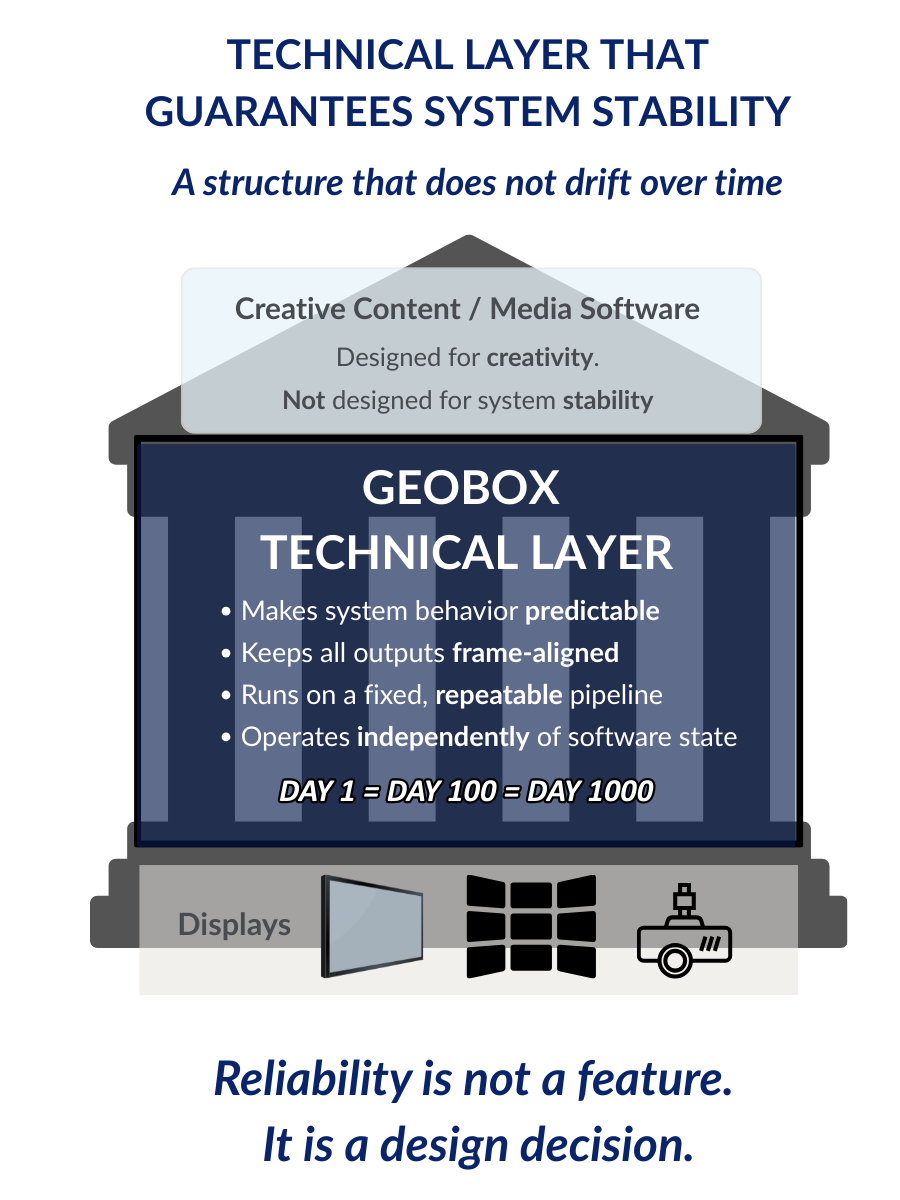
Technical Layer
A Technical Layer makes Complex Display systems behave predictably
When resolution, screen shape, or 3D pipelines get complicated, device-level features and PC/GPU execution context stop being reliable. A technical layer separates display orchestration from compute so the system stays stable.
- Stable timing and sync
- System-level geometry behavior
- Less maintenance risk
Authored by Visual Displays Ltd., GeoBox’s UK partner with extensive field experience in immersive and 3D display systems, this document examines what a technical layer guarantees in complex display environments.
What we mean by a “Technical Layer”
- A technical layer is a dedicated system component that enforces display behavior as a stable contract.
- It sits between sources and displays to handle timing, mapping, and multi-output behavior consistently.
- This reduces dependency on OS state, GPU load, and application complexity.
Why this matters more in 2026
- Systems are running heavier workloads (AI, real-time rendering, analytics).
- When compute and display orchestration share the same execution context, predictability is usually first to fail.
- A technical layer isolates display behavior so the wall stays stable even when compute gets stressed.
What we do vs what we don’t do
We assume system-level display responsibility
- multi-output mapping behavior
- geometry and overlap contract
- stable timing and sync behavior
- predictable routing and output formats
We do not replace
- content creation tools
- media servers and playback workflows
- projection design services
- onsite integration engineering output formats
When a Technical Layer Becomes Essential
A technical layer is no longer optional when a system meets any of the following conditions:
- The number of displays continues to increase. Read: How Geometry & Overlap Are Implemented at the Technical Layer
- The system enters the 4K class or higher resolution tiers.
- High resolution LED walls. Read: How a deterministic technical layer adds stability to high resolution LED wall system.
- Stereo 3D technologies are involved. Read: Why 3D systems feel unstable even when specifications appear correct
- Long-term stable operation and consistent behavior are required
This is not about pushing technical limits. It is about whether the system can be trusted over time.
Real-World Architecture Validation
Some architectural requirements only become visible at scale. This analysis examines why FPGA-based processing is used in one of the world’s largest continuous digital art environments, not as a feature choice, but as a system-level necessity.
Read: Why FPGA-Based Processing Remains Essential in Large-Scale Digital Art Environments
From Product Thinking to System Architecture Thinking
Modern display systems are shifting from selecting products to defining responsibility. The technical layer plays a central role in this transition. Once this layer is properly understood, the logic of system design changes fundamentally.