Blog
-
Projectors: Use our edge blending calculator to determine the optimized configuration of projector specifications.
-
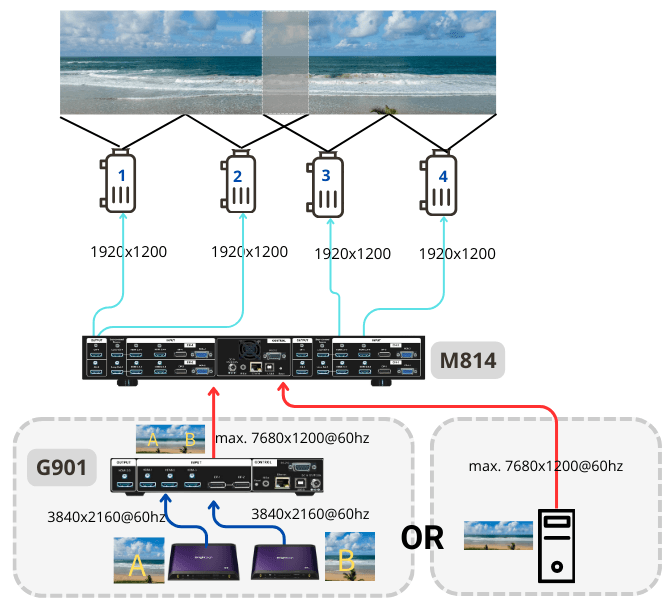
Use the M814 if you want to control all image processing functions in one device. If your projectors have sufficient edge blending and warping functions, opt for video wall series to configure the video wall and overlap setting across projectors.
-
Input source: Use a playback device capable of outputting a signal with a resolution of 7680×1200 for optimized image quality. Alternatively, use the G901 to combine two 4K sources into a single signal of up to 7680×1200@60hz. This signal can then be fed into the M814 or the video wall controller, streamlining the workflow and increasing flexibility in input source adaptation.
Note that the content needs to be created in the same aspect ratio of the entire wall. In this case, the content should be made in the aspect ratio of (3+5+3) : 2.
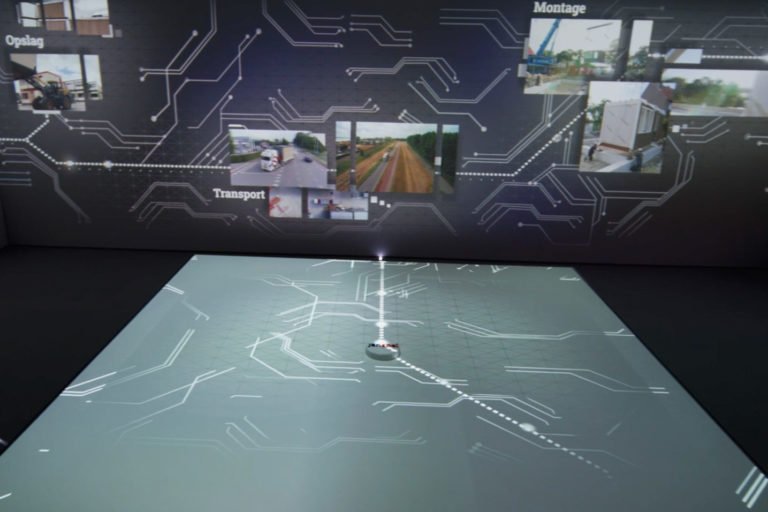
U-shaped room with 3 walls in different sizes. The middle wall is longer in around 5 meters wide and 2 meters hight, each side wall is around 3 meters wide.