
M800EX
M800EX SERIES
Hardware Projection Mapping for Complex Surfaces
Map, mask, warp and blend projected content directly in hardware. M800EX combines projection mapping with multi-projector image processing for irregular objects, architectural surfaces and specialised projection installations.
1–4 Projector Outputs · Hardware Mapping · WUXGA Output · Geometry Correction · Edge Blending
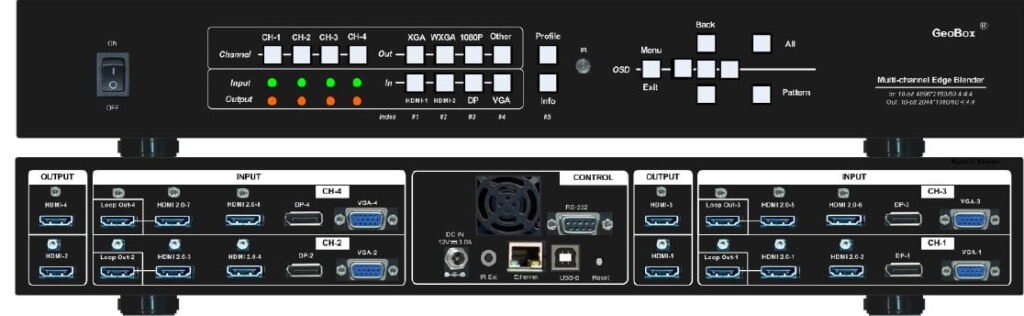
Projection Mapping Without Pre-Masking the Content
M800EX is a specialised projection processor derived from the previous-generation M800 platform. Its key difference is an embedded digital mapping function that allows monochrome mapping patterns to be stored and applied directly inside the processor.
This makes it possible to define where source content appears on an object or surface without permanently masking or rendering those areas into the original video content.
Hardware Projection Mapping
Upload a monochrome mapping pattern and use its black or white areas to define where source content is displayed. Mapping is applied directly inside the GeoBox processing pipeline.
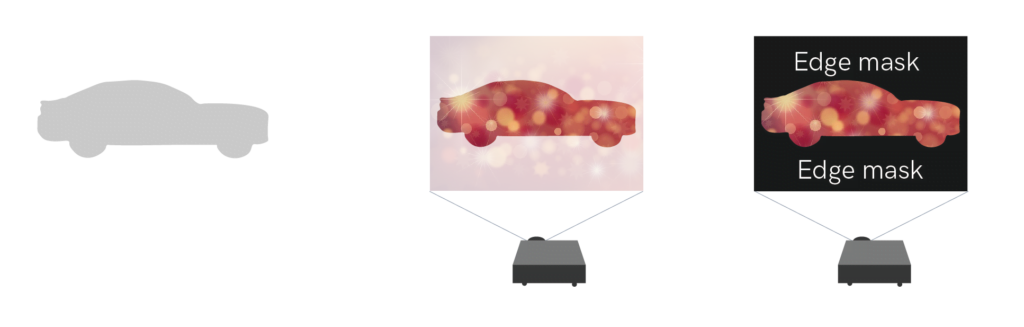
Mapping Pattern Storage
Store up to 10 monochrome mapping patterns inside the processor for repeatable installations and different presentation modes.
Automated Mapping Playback
Switch automatically between stored mapping patterns at configurable time intervals, allowing mapping sequences to run without continuous control from a media server or PC.
Mapping with Warp & Edge Blending
Apply projection mapping together with geometry correction, image cropping and four-side edge blending when multiple projectors need to cover one object or complex projection surface.
Built for Repeatable Hardware-Based Mapping
Up to 10 Mapping Patterns
Store up to ten monochrome mapping patterns in each M800EX processor and recall the appropriate pattern according to the installation or presentation mode.
Black / White Area Selection
Determine whether source content is displayed in the black or white area of the uploaded mapping pattern, providing flexibility when preparing different masks.
Programmable Pattern Looping
Stored mapping patterns can be played sequentially with individually defined switching intervals for simple automated presentation effects.
256-Color Overlay Pattern
A separate 256-color pattern can be overlaid on the projection output for specialised mapping and alignment applications.
Mapping Plus the Essential Tools for Multi-Projector Installation
In addition to digital mapping, M800EX provides the image-processing functions required to distribute and align content across projector outputs.
Image Cropping & Distribution
Crop and assign different regions of a high-resolution source to individual processing channels without splitting the source content externally.
Geometry Correction
Use grid-based warping, corner-wall correction and linearity adjustment to align projected images with curved, angled or irregular surfaces.
M800EX uses the geometry engine of the earlier M800 platform. For projects that do not require projection mapping and where the latest geometry workflow and fine adjustment tools are preferred, the M810 Series should normally be selected instead.
Four-Side Edge Blending
Apply independent edge blending on all four sides of each processing channel, with adjustable RGB gamma correction across overlap regions.
Black-Level Uplift
Adjust nine independent black-level regions to reduce visible brightness differences between overlap and non-overlap areas in dark projected scenes.
Gwarp3 PC Tool
Configure and manage GeoBox settings from a PC for faster installation, alignment and commissioning workflows.
Frame-Locked Outputs
Synchronise processing channels to maintain stable output timing across multi-projector systems.
M800EX Series Models
Select the model according to the required number of independently processed projector outputs.
M801EX
OUTPUT
Single-channel projection mapping and geometry processing.
M802EX
OUTPUTS
Dual-projector projection mapping with geometry correction and edge blending.
M803EX
OUTPUTS
Three independently processed projector channels for wider or more complex mapping installations.
M804EX
OUTPUTS
Four-channel projection mapping and edge blending from one processor.
Multiple M800EX processors can be cascaded when more projector outputs are required.
Mapping Becomes Part of the Display-Side Processing
Instead of preparing a separate pre-masked video for every projection area, M800EX applies the mapping pattern after the source enters the processor.
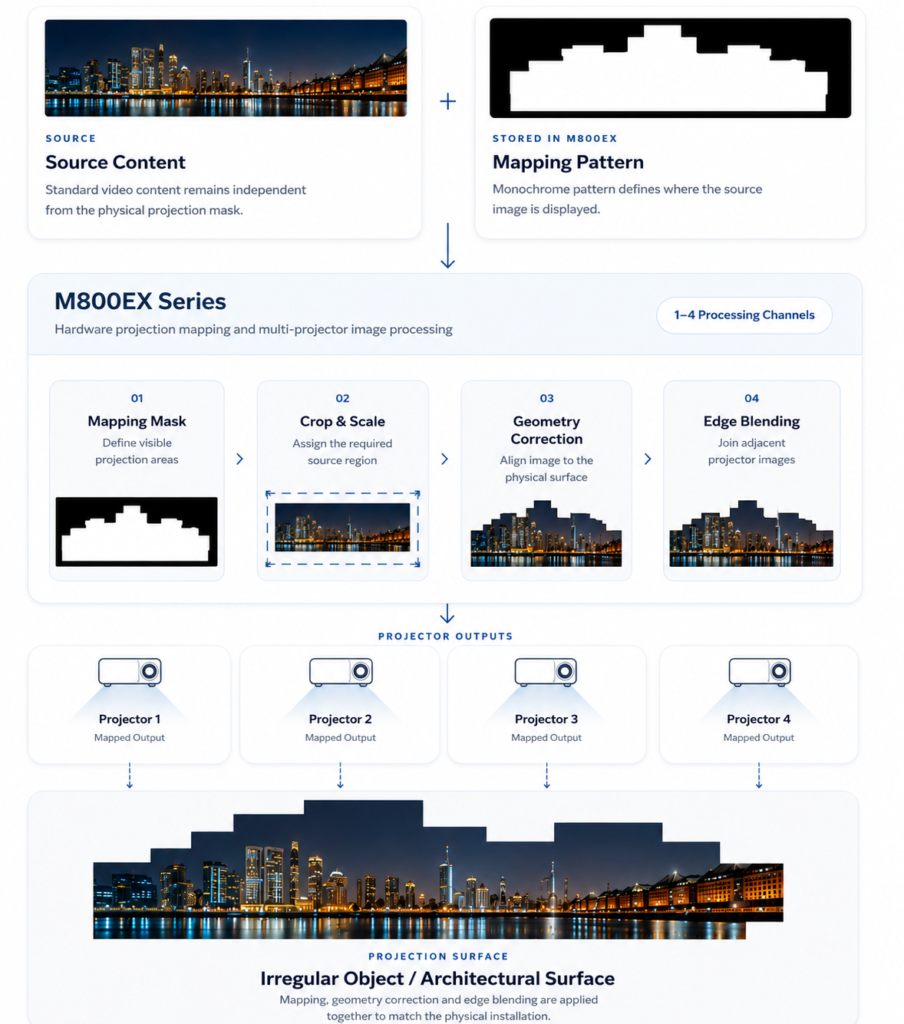
Technical Specifications
Detailed signal, processing, control and mechanical specifications for system design and integration.
Video Input
1× DisplayPort 1.2a
1× VGA
DisplayPort: HDCP 1.3
Non-VESA input timings supported
Video Output
M802EX: 2
M803EX: 3
M804EX: 4
Projection Mapping
Geometry & Edge Blending
Vertical: up to 1200 pixels
Image Processing
System, Control & Mechanical
IR remote
RS232
USB
Ethernet
M802EX: 14.4W
M803EX: 21.6W
M804EX: 28.8W
M802EX / M803EX / M804EX: 440 × 190 × 58 mm
M802EX: 2.47 kg
M803EX: 2.64 kg
M804EX: 2.81 kg
10–90% RH
Choose M800EX When
- Projection mapping is a core requirement of the installation.
- Content must be mapped onto irregular objects or physical structures.
- You want mapping masks to be applied in hardware rather than permanently rendered into the source content.
- Multiple projectors require mapping, geometry correction and edge blending in the same processing system.
- Mapping patterns need to be stored and recalled locally.
- Automated switching between different mapping masks is required.
- WUXGA-class projector outputs are sufficient for the installation.
M800EX or M810?
Choose M800EX
When hardware projection mapping is required.
M800EX is based on the previous-generation M800 processing platform but adds the Digital Mapping engine, stored mapping patterns and mapping-pattern playback that distinguish it from the standard edge-blending product range.
Choose M810
When projection mapping is not required.
M810 is the newer-generation WUXGA multi-projector processor and provides the more current geometry-adjustment workflow and configuration tools for conventional projection surfaces.
M800EX in Real Installations
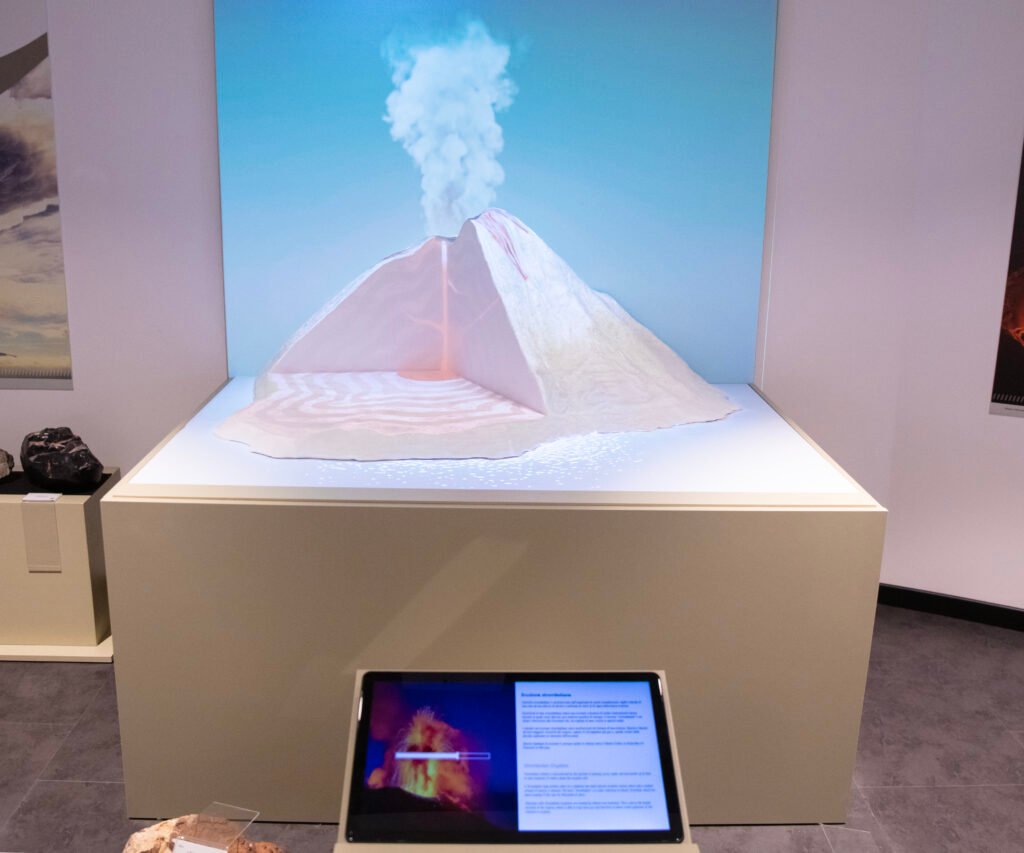
University of Calabria, Italy
Projection Mapping on an Irregular 3D Object
Two-projector mapping across a detailed volcano model and background wall using M802EX for image distribution, geometry correction and hardware projection mapping
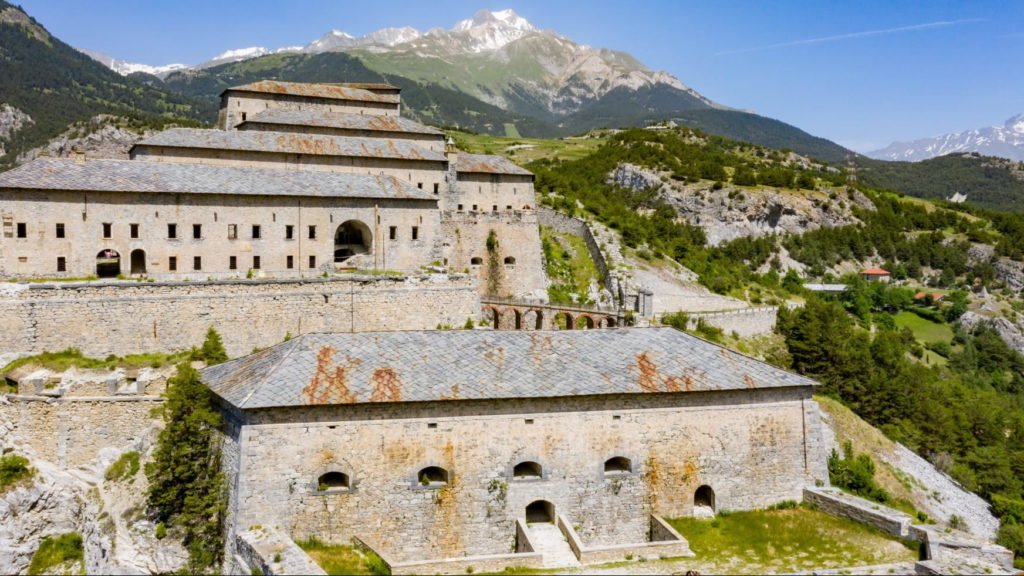
Savoie, France
Immersive Projection at Fort Victor Emmanuel
M800EX provided projection mapping, geometry correction and edge blending for an immersive heritage installation across the fortress’s irregular architectural surfaces.
Need Projection Mapping on an irregular or complex surfaces?
Share your projector layout, source resolution or project requirements with our technical team. We can help confirm the appropriate model and system configuration.