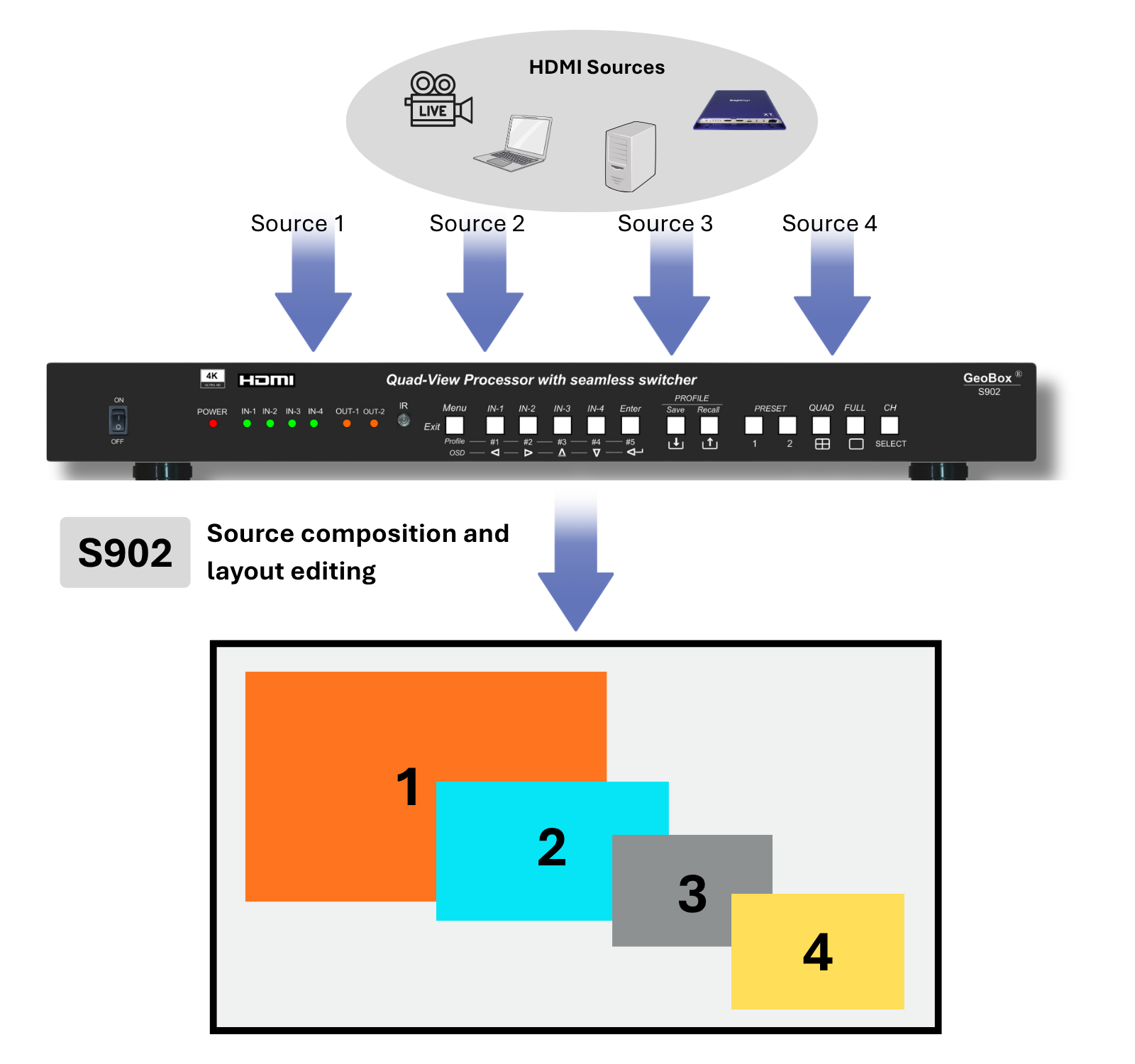
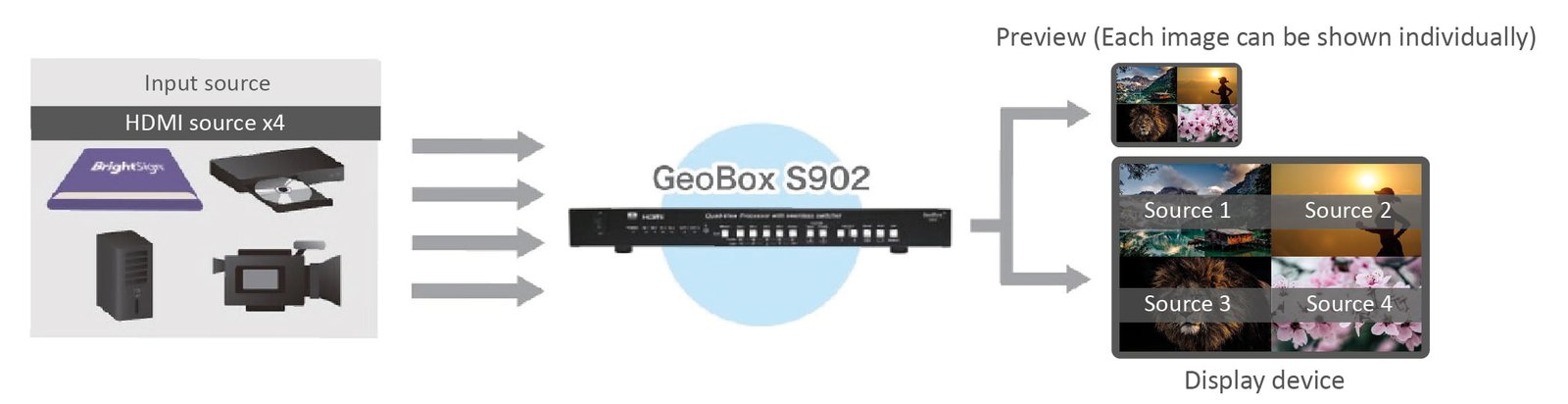
S902
S902 Flexible Multi-Source Layout Processor
Combine multiple UHD HDMI sources into controlled layouts for professional teaching, dvLED demo walls, simulation spaces and monitoring workflows.
S902 is designed for source layout processing before a large display, recording system, LED controller or GeoBox display processor.
Where S902 Fits in the Display Workflow
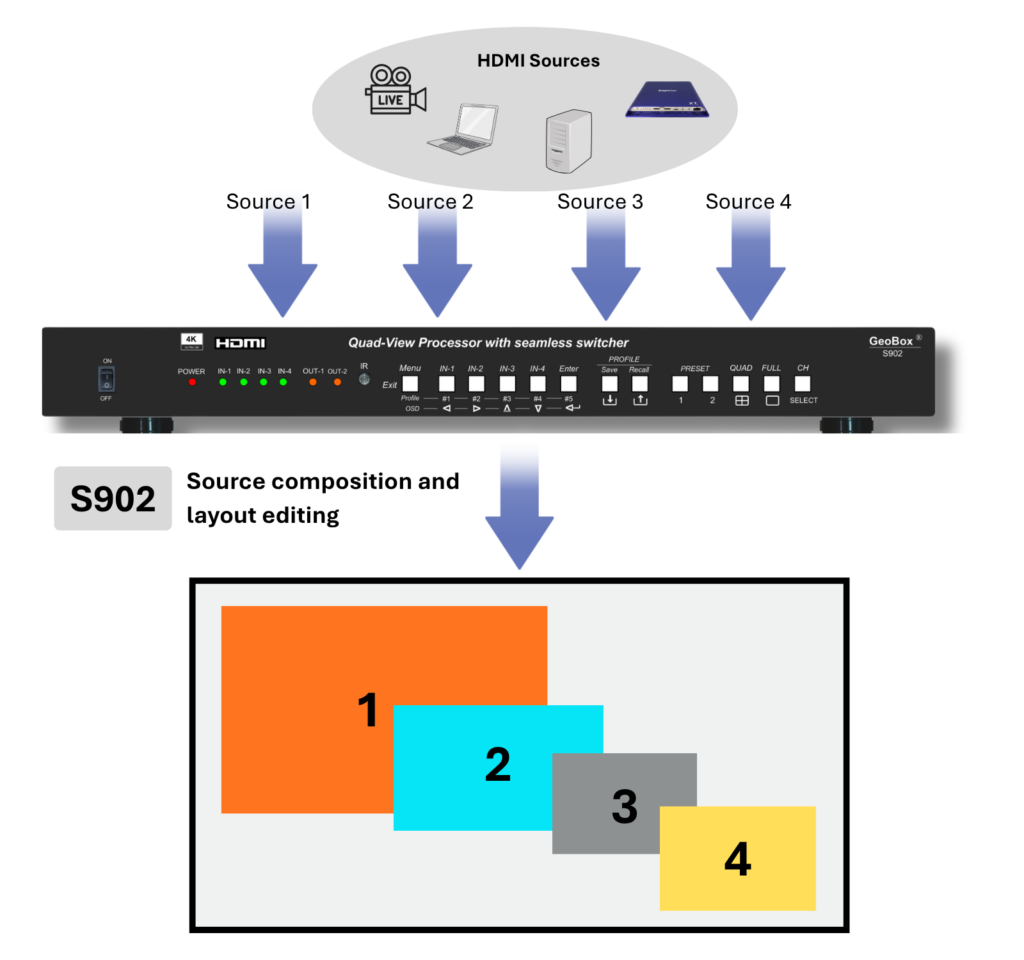
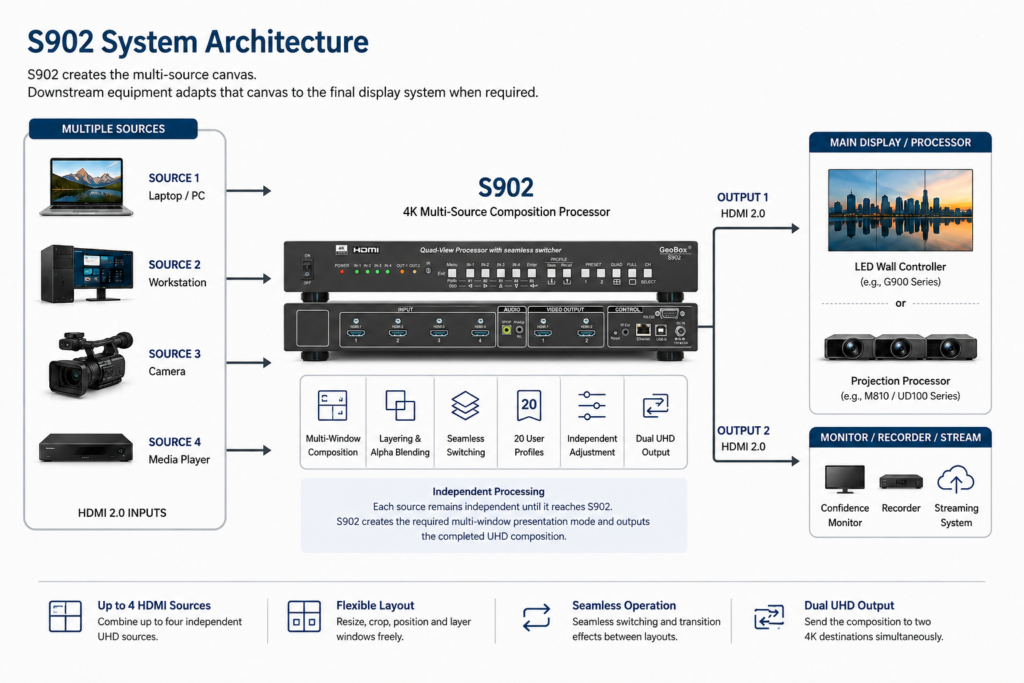
S902 sits before the display-processing layer.
It arranges multiple HDMI sources into a controlled layout before the signal is sent to a dvLED wall, projection system, display processor, recording device or monitoring display.
Source Devices
Laptop / Camera / Workstation / Media Player
↓
S902
Source composition and layout processing
↓
Display Layer
LED controller / GeoBox processor / Recorder / Monitor
Application Workflows
When One Large Display Needs More Than One Source
S902 is most useful when several HDMI sources need to be arranged into repeatable layouts before the signal reaches the main display, recording system or downstream display processor.
It is designed for rooms where the same layout patterns are used repeatedly, and where a dedicated hardware processor is preferred over PC-based software composition.
Professional Teaching & Training Rooms
Workflow problem
Professional teaching and training rooms often need more than one source on the display. An instructor may need to show live camera, simulation output, reference material, software interface or remote input while recording the same teaching layout.
S902 role
S902 combines selected HDMI sources into repeatable teaching layouts and sends the result to the main display and recording, streaming or monitoring system.
dvLED Demo & Review Walls
Workflow problem
A dvLED wall is often large enough to show more than one source, but the system still needs a controlled way to arrange live sources. Software window management can make demonstrations, reviews and briefings less repeatable.
S902 role
S902 arranges multiple HDMI sources into fixed layouts before the signal is sent to the LED controller or downstream display processor.
Technical Monitoring & Control Stations
Workflow problem
Technical rooms, engineering stations or small production areas may need to compare or monitor several HDMI sources without installing multiple displays or a full broadcast multiviewer.
S902 role
S902 combines up to four HDMI sources into a monitoring layout and sends the result to an operator display and, when needed, to a secondary monitor or capture system.
S902 or G901?
Choose S902 when source layout flexibility is the main requirement.
Choose G901 when output format control is the main requirement.
| Requirement | Choose S902 | Choose G901 |
|---|---|---|
| Main need | Flexible source layout | Custom output format |
| Window layout | Free window editing | Preset / limited layout |
| Sources | Up to 4 HDMI sources | Fewer sources, stronger output control |
| Output | Dual HDMI output | Single programmable output |
| Custom resolution | No | Yes |
| Ultra-wide / special format | No | Yes |
| 90° / 270° rotation | No | Yes |
| 3D conversion | No | Yes |
S902 is NOT designed for:
Output and display format
- no custom output resolution
- no 90° / 270° image rotation
- no 3D conversion
- no two fully independent output layouts
- Display processing
- no projector warping
- no edge blending
- no LED mapping
- no media-server playback
- System workflow
- no AV-over-IP routing
- no SDI broadcast multiviewing
- no tally, genlock, waveform or vectorscope functions
Main Capabilities
Input / Output
- 4 × HDMI 2.0 inputs
- 2 × HDMI 2.0 outputs
- up to 4096 × 2160 @ 60Hz
- 4K60 4:4:4 8-bit
- internal 10-bit image processing
- xvYCC wide color gamut support
Layout Processing
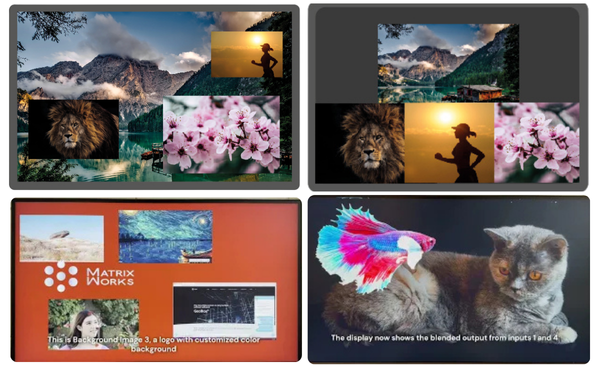
- up to four active windows
- 12 default layouts
- 20 user profiles
- Flexible window sizing, positioning, cropping and overlap control
- alpha blending
- background layer with color or static image
Image Processing
- per-window brightness, contrast, hue and saturation adjustment
- RGB gain and offset adjustment
- noise reduction and de-interlacing tools
- diagonal correction for smoother edges
- 3:2 / 2:2 cadence detection
Operation
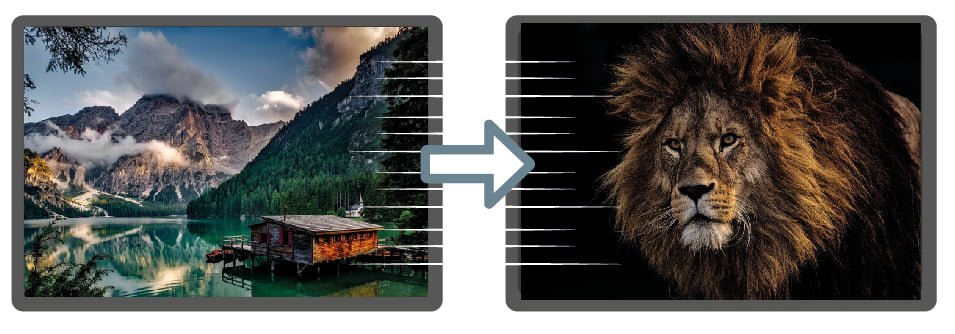
- seamless switching
- up to 16 transition effects
- front panel / IR / RS232 / USB / Ethernet control
- HDMI embedded audio and audio output options
- low-latency hardware processing
- profile recall for layouts and image settings
These capabilities apply to source layout processing. S902 does not replace downstream display processors such as LED controllers, GeoBox edge-blending processors or programmable-output processors.
What S902 Does Not Do
S902 is NOT designed for:
Output and display format
- no custom output resolution
- no 90° / 270° image rotation
- no 3D conversion
- no two fully independent output layouts
- Display processing
- no projector warping
- no edge blending
- no LED mapping
- no media-server playback
- System workflow
- no AV-over-IP routing
- no SDI broadcast multiviewing
- no tally, genlock, waveform or vectorscope functions
If your project requires these functions, the G900, M-series, UD-series or another system architecture may be more suitable.
Typical System Diagrams
S902 is placed before the downstream display-processing stage. It prepares the multi-source HDMI layout, while the following display system handles the physical display tasks such as LED mapping, projector alignment, edge blending, output distribution or custom resolution.
These diagrams show typical ways to use S902 as the source layout layer before a dvLED wall or projection system.
1. S902 before a dvLED Wall
Diagram
S902 combines multiple HDMI sources into a controlled layout before the signal reaches the LED controller.
Description
This architecture is suitable when the dvLED system can accept the processed output from S902 directly through the LED controller. S902 handles source composition and layout editing, while the LED controller remains responsible for LED mapping, receiving-card control, calibration, brightness management and physical wall operation.
Use this architecture when a dvLED wall is used for professional teaching, product demonstration, dashboard review, training, briefing or technical presentation, and when no additional GeoBox display-side processing is required.
S902 does not replace the LED controller. It does not perform LED mapping, cabinet configuration, receiving-card control or LED wall calibration.
2. dvLED Wall with Downstream GeoBox Display Processing
Diagram
S902 prepares the multi-source layout. A downstream GeoBox display processor can then adapt the processed signal for the dvLED wall before it reaches the LED controller.
Description
This architecture is used when the dvLED system requires additional display-side processing after source composition. S902 handles the arrangement of multiple HDMI sources into a controlled layout. The downstream GeoBox display processor can then manage tasks such as image rotation, output split, custom output resolution or other display-format adaptation before the signal is sent to the LED controller.
This is useful when the source layout and the physical display format need to be handled as separate responsibilities.
S902 handles source composition and layout editing. The downstream GeoBox display processor handles display-side adaptation. The LED controller remains responsible for LED mapping, receiving-card control, calibration and physical wall management.
3. Projection with Downstream GeoBox Display Processing
Diagram
S902 prepares the multi-source layout before the signal reaches the projection-processing stage.
Description
This architecture is used when a projection system needs multiple HDMI sources arranged into a repeatable layout before projector-specific processing is applied. S902 handles source composition and layout editing. The downstream GeoBox display processor then manages display-side tasks such as output split, warping, edge blending and custom output resolution before the images are delivered to the projectors.
This architecture is suitable for teaching rooms, simulation spaces, technical training rooms, immersive projection environments and other multi-projector systems where source layout and projector alignment need to remain separate system responsibilities.
S902 does not perform projector warping or edge blending. These functions remain the responsibility of the downstream GeoBox projection or display processor.
FAQ
Q1. Can S902 outputs show two completely different layouts?
No. S902 should not be treated as two fully independent layout processors. It is designed to send the processed layout to one or two HDMI destinations. If two fully independent layouts are required, the system architecture should be reviewed.
Q2. When should I choose S902 instead of G901?
Choose S902 when flexible multi-source window layout is the main requirement. Choose G901 when custom output resolution, ultra-wide output, rotation or 3D conversion is required.
Q3. Can S902 control an LED wall?
No. S902 does not replace an LED controller. It can be used before the LED controller to arrange multiple HDMI sources into a controlled layout.
Q4. Can S902 perform edge blending?
No. For projector warping and edge blending, use GeoBox M-series or UD-series processors.
Q5. Is S902 a broadcast multiviewer?
No. S902 is an HDMI multi-window processor. It does not provide SDI, tally, genlock, waveform, vectorscope or broadcast monitoring functions.