Blog
-
Projecteurs : Utilisez notre calculatrice de l'estompage des bords pour déterminer la configuration optimisée des spécifications du projecteur.
-
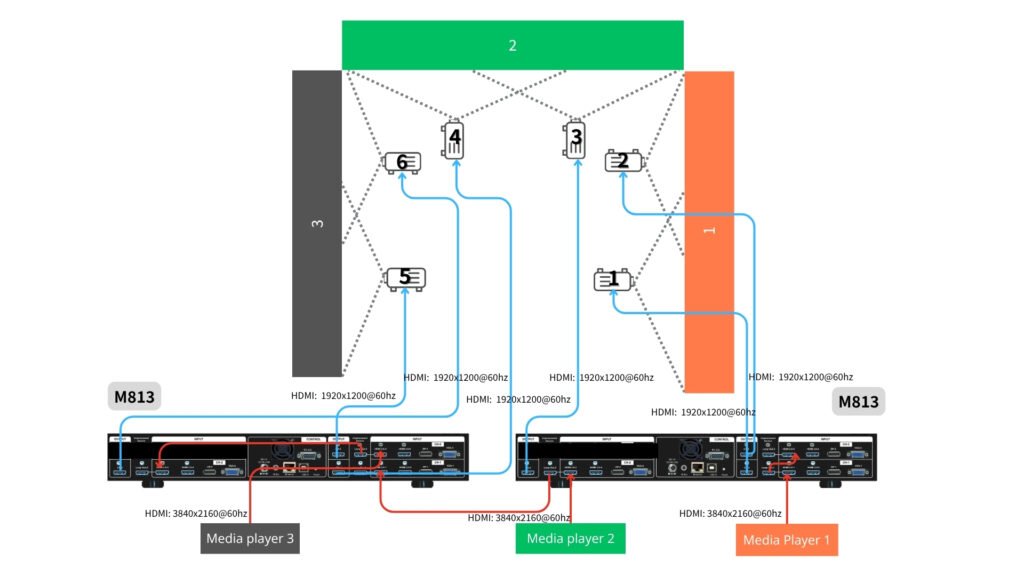
Traitement d'images : utilisez deux M813 unités si vous souhaitez contrôler toutes les fonctions de traitement d'image à partir d'un seul appareil. Si vos projecteurs disposent de fonctions de fusion des bords et de déformation suffisantes, optez pour Série de murs vidéo (G400) pour configurer le mur d'écrans (segmentation d'image) et le réglage du chevauchement entre chaque paire de projecteurs connectés.
-
- Source d'entrée : l'approche la plus simple consiste à diviser l'ensemble de l'écran en trois parties (sources), comme indiqué ci-dessous : 1, 2, 3. Chaque source peut être transmise à l'UD103 avec une résolution pouvant atteindre 3840 × 2160 à 60 Hz.
- Appareil de lecture : l'utilisateur peut utiliser des lecteurs multimédias (tels que BrightSign) ou un PC équipé de trois sorties de signal pour lire la vidéo. La synchronisation entre ces sources doit être assurée au niveau de la source ; GeoBox garantit alors la synchronisation entre les sorties et les projecteurs.
- Pour obtenir une image optimale sans distorsion, l'ensemble du contenu doit être créé dans le même format que celui du mur. Dans ce cas, le contenu doit respecter le format (9+9+9) : 2.
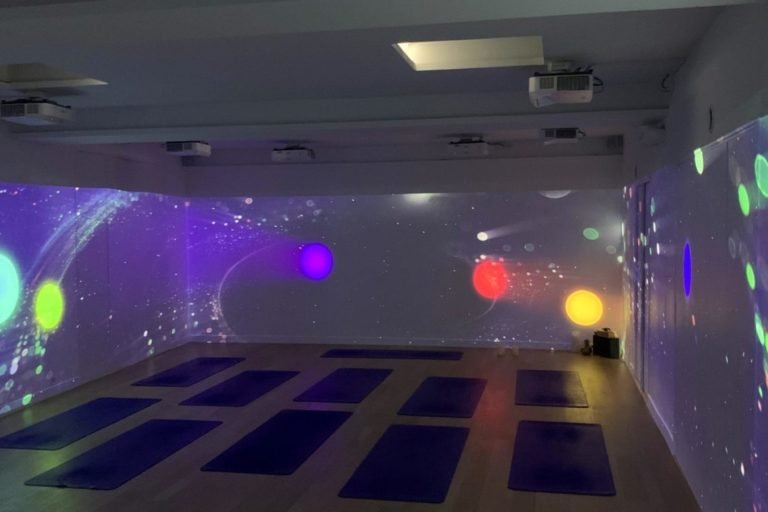
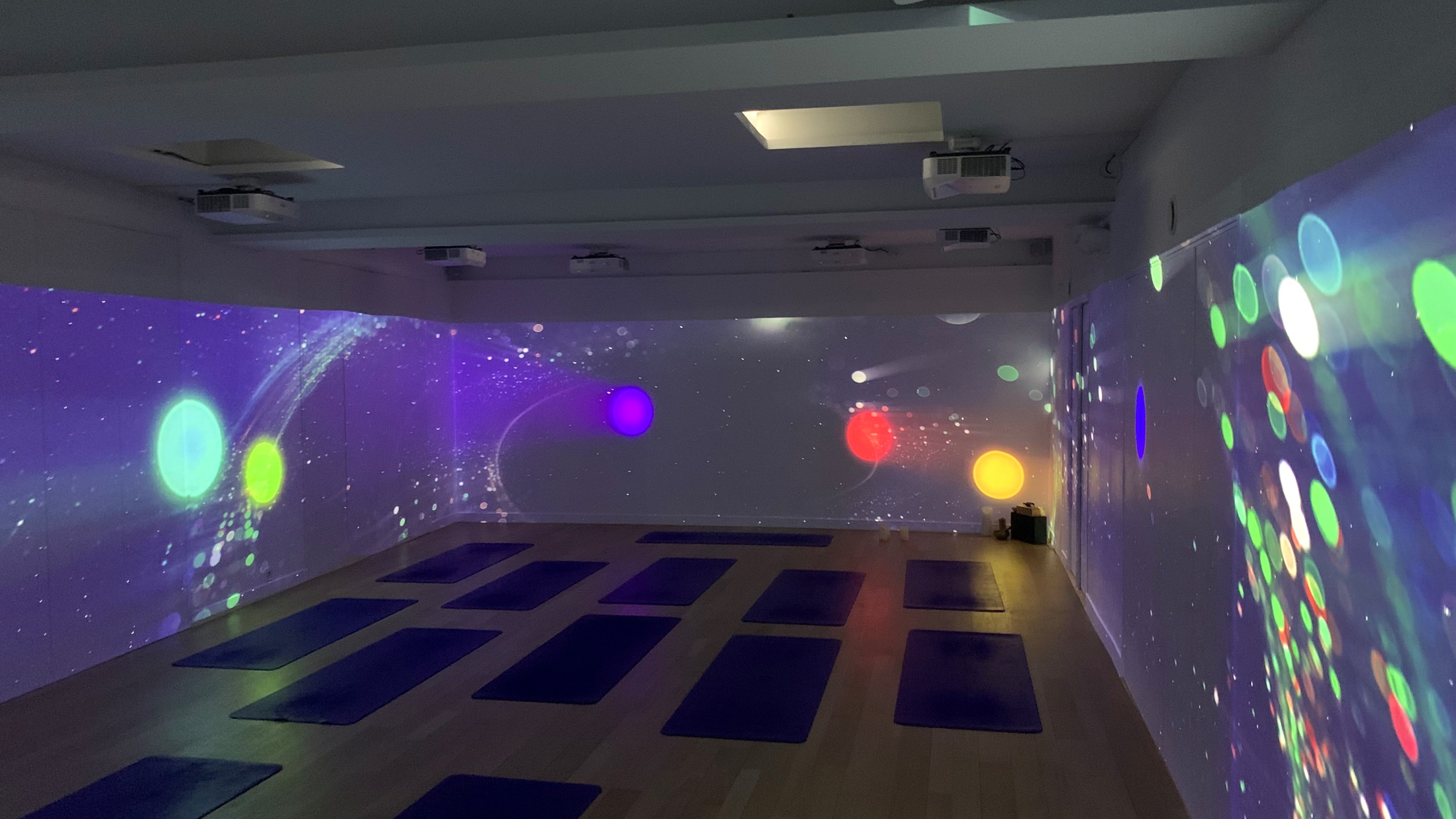
Exemple : une grande pièce en forme de U dont les trois murs sont de dimensions identiques, chacun mesurant 9 mètres de large et 2 mètres de haut.
-
Projecteurs : Utilisez notre calculatrice de l'estompage des bords pour déterminer la configuration optimisée des spécifications du projecteur.
-
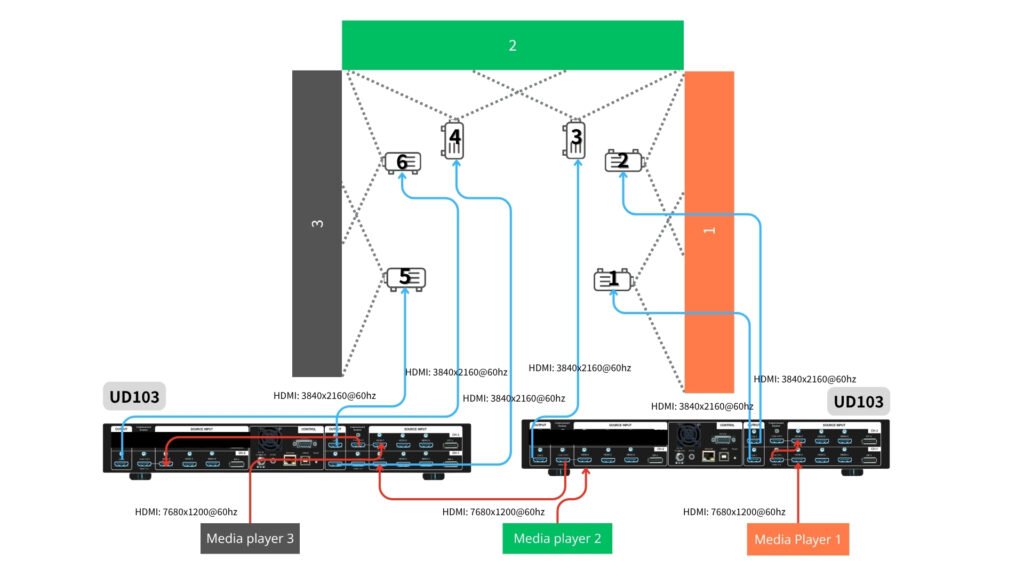
Traitement d'images : utilisez deux UD103 unités si vous souhaitez contrôler toutes les fonctions de traitement d'image à partir d'un seul appareil. Si vos projecteurs disposent de fonctions de fusion des bords et de déformation suffisantes, optez pour Série de murs vidéo (G900) pour configurer le mur d'écrans (segmentation d'image) et le réglage du chevauchement entre chaque paire de projecteurs connectés.
-
- Source d'entrée : l'approche la plus simple consiste à diviser l'ensemble de la toile en trois parties (sources), comme indiqué ci-dessous : 1, 2, 3. Chaque source peut être transmise à l'UD103 avec une résolution maximale de 7680×1200 à 60 Hz (mode CVT-RB).
- Appareil de lecture : l'utilisateur peut utiliser des lecteurs multimédias (tels que BrightSign) ou un PC équipé de trois sorties de signal pour lire la vidéo. La synchronisation entre ces sources doit être assurée au niveau de la source ; GeoBox garantit alors la synchronisation entre les sorties et les projecteurs.
- Pour obtenir une image optimale sans distorsion, l'ensemble du contenu doit être créé dans le même format que celui du mur. Dans ce cas, le contenu doit respecter le format (9+9+9) : 2.
Exemple : une grande pièce en forme de U dont les trois murs sont de dimensions identiques, chacun mesurant 9 mètres de large et 2 mètres de haut.